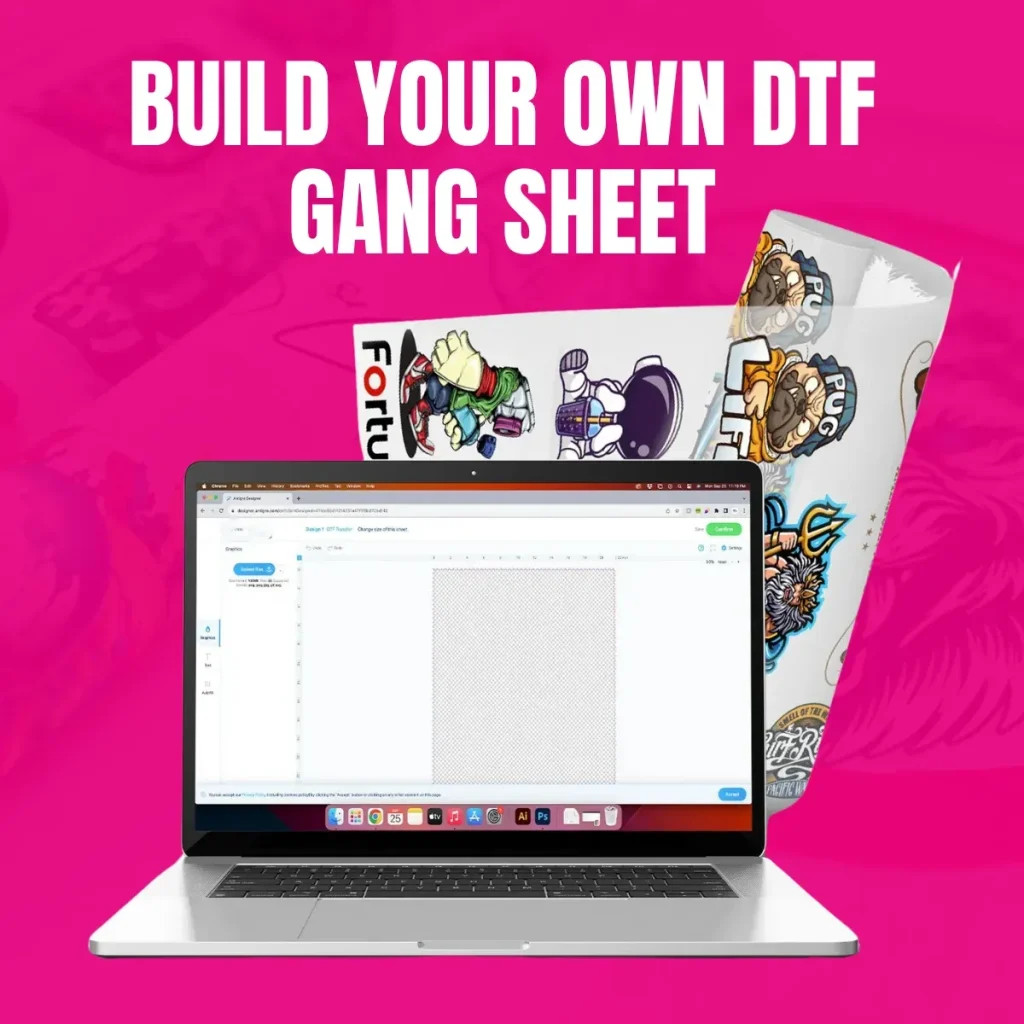
DTF Gangsheet Builder is a powerful tool that helps designers and print shops streamline transfer printing by optimizing gang sheets and reducing waste, a cornerstone of DTF printing software. This solution simplifies the creation and management of multi-design sheets, accelerating production workflows and improving color placement across batches. It leverages a drag-and-drop canvas, auto-layout, and color management to deliver consistent margins and high-quality transfer designs for textiles. The templates and versioning features help teams scale operations while maintaining quality control. For shops seeking faster, more predictable results from their DTF toolkit, this builder aligns with modern production needs.
Viewed from another angle, it functions as a gangsheet design tool that consolidates multiple transfer layouts into a single, efficient print run. This framing highlights automation, template reuse, and a streamlined process for preparing transfers across textiles and fabrics. Together with careful print preparation, it supports scalable production workflows by reducing manual setup and enabling rapid reconfiguration for rush orders.
DTF Gangsheet Builder: A Core Component of DTF Printing Software
DTF Gangsheet Builder is a core component of DTF printing software, designed to maximize efficiency for designers and print shops. By focusing on gang sheet creation and management, it helps reduce waste, streamline color layouts, and speed up the overall production workflow.
This tool integrates smoothly with common DTF printer ecosystems, offering templates, versioning, and color-management controls that ensure consistent margins and alignment across runs. In doing so, it aligns with the broader goals of optimizing the DTF production workflow and delivering repeatable results from design to transfer.
Top DTF Gangsheet Features That Boost Production
Among the standout DTF gangsheet features are drag-and-drop layout, auto-layout, batch processing, and built-in color management. These capabilities dramatically cut setup time and enhance predictability for multi-design transfers.
A template library, reusable layouts, and export-ready outputs further streamline the path from design to print. Live previews and validation help catch margins, bleed, and transfer geometry issues before production, supporting a smoother DTF production workflow.
Gangsheet Design Tool: From Transfer Design for Textiles to Efficient Layouts
The gangsheet design tool focuses on transfer design for textiles, enabling multiple designs to share a single sheet while respecting margins, bleed, and cut lines. This enables efficient space utilization and reduces material waste on each run.
With alignment guides, snapping, and versioned layouts, designers can iterate quickly for high-volume orders while maintaining tight tolerances. The tool thus supports consistent transfer results across dozens or hundreds of garments in a single production cycle.
DTF Printing Software and Color Management for Efficient Runs
DTF printing software often includes robust color management to forecast ink usage and map colors across substrates. This helps teams plan designs with predictability, reducing color surprises on the transfer.
Early color planning and integrated ink-usage controls contribute to lower substrate costs and more reliable press outcomes. When combined with template-driven layouts, these features support a streamlined DTF production workflow from design intent to final transfer.
DTF Production Workflow: End-to-End from Import to Archive
The DTF production workflow begins with importing designs, selecting appropriate sheet templates, and running layout optimization to maximize sheet economy. Color planning and preview validation then ensure designs will transfer accurately.
Exported print-ready files feed RIP software and printers, while archived layouts enable quick reprints or future campaigns. This end-to-end approach aligns design, print, and transfer steps into a repeatable, scalable process that reduces turnaround times.
Adoption Considerations: Learning Curve, Cost, and ROI with DTF Tools
Adoption considerations include the learning curve, licensing costs, and compatibility with existing printers and RIPs. While the benefits in efficiency and waste reduction are compelling, teams should gauge pilot results and training needs before a full rollout.
To maximize return on investment, run controlled pilots to quantify time saved per job and material waste reduction. Establish training materials, version control practices, and archiving routines to sustain gains as your DTF production workflow scales.
Frequently Asked Questions
What is the DTF Gangsheet Builder and how does it fit into DTF printing software?
The DTF Gangsheet Builder is specialized software that arranges multiple transfer designs on a single gang sheet to maximize sheet usage, reduce material waste, and streamline the DTF production workflow. It integrates with your DTF printing software stack to provide layout tools, live previews, and export-ready outputs compatible with common RIPs and printers.
What are the key DTF gangsheet features that improve the transfer design for textiles?
DTF gangsheet features include drag-and-drop layout on a visual canvas, auto-layout and batch processing, color management integration, a template library, live preview and validation, export-ready files, versioning, and broad printer compatibility.
How does the gangsheet design tool help optimize margins and reduce waste in transfer design for textiles?
The tool provides alignment guides, margin and bleed controls, and a live preview to ensure precise transfer margins. Auto-layout optimizes placement to maximize sheet usage and minimize material waste when producing textiles.
Is the DTF Gangsheet Builder compatible with my printer and RIP software in the DTF production workflow?
Yes. The builder is designed for compatibility with common DTF printer ecosystems and RIP software, producing export-ready files that fit typical production workflows and keep design geometry aligned with hardware.
How can I integrate the DTF Gangsheet Builder into a typical production workflow to boost efficiency?
Start by importing designs, selecting a sheet template, using auto-layout to arrange designs, planning colors, previewing the sheet, exporting print-ready files, and archiving layouts for reprints—this sequence aligns design and transfer steps in the DTF production workflow.
What should I consider before adopting the DTF Gangsheet Builder?
Consider the learning curve, licensing and pricing, printer/RIP dependencies, performance with large or complex gang sheets, and the potential variation in color fidelity across substrates. A trial can help quantify time saved and material waste reduction.
| Aspect | Key Points |
|---|---|
| What is it? |
|
| Main features |
|
| Benefits |
|
| Considerations |
|
| Who should consider |
|
| How to use |
|
| Role in DTF process |
|
| Practical tips |
|
| Comparison to other approaches |
|
| Conclusion take |
|
Summary
DTF Gangsheet Builder stands out as a purpose-built solution for optimizing gang sheet layouts in DTF printing. This tool helps designers and print shops maximize material efficiency, reduce waste, and accelerate production through features like auto-layout, templates, color management, and export-ready outputs. While there may be a learning curve and upfront cost, the long-term gains in throughput, consistency, and scalability make it a valuable addition to a DTF printing software stack. By centralizing design to transfer workflows, it enables rapid iteration, version control, and reliable results across multiple designs on a single sheet. For shops aiming to improve efficiency and quality in high-volume runs, exploring a DTF Gangsheet Builder is a strategic move.