DTF transfers have surged in popularity as a versatile option for customized apparel and textiles. When you compare DTF transfers vs sublimation, and sublimation vs DTF, you’ll notice distinct strengths and trade-offs that suit different fabrics, budgets, and run sizes. This guide highlights DTF use cases across cotton blends and dark fabrics, and explains the DTF transfer pros and cons, as well as how the method stacks up against sublimation. Whether you’re a small-business owner, a custom print shop, or a hobbyist, understanding DTF transfers helps you make informed printing decisions. By examining performances, costs, and workflow implications, you can choose the best approach for your products and market.
Alternative phrasing for this approach includes direct-to-film printing, film-backed transfers, or digital film transfers, all designed to deliver bold graphics across a broad fabric range. From an LSI perspective, terms like white ink on dark fabrics, opaque color transfer, and bond-through heat help describe why this method differs from dye-sub or sublimation. Widening the vocabulary with ‘DTF use cases’—such as on cotton blends, dark tees, or bags—helps explain practical applications without relying on a single label.
Frequently Asked Questions
What are DTF transfers, and how do they compare to sublimation?
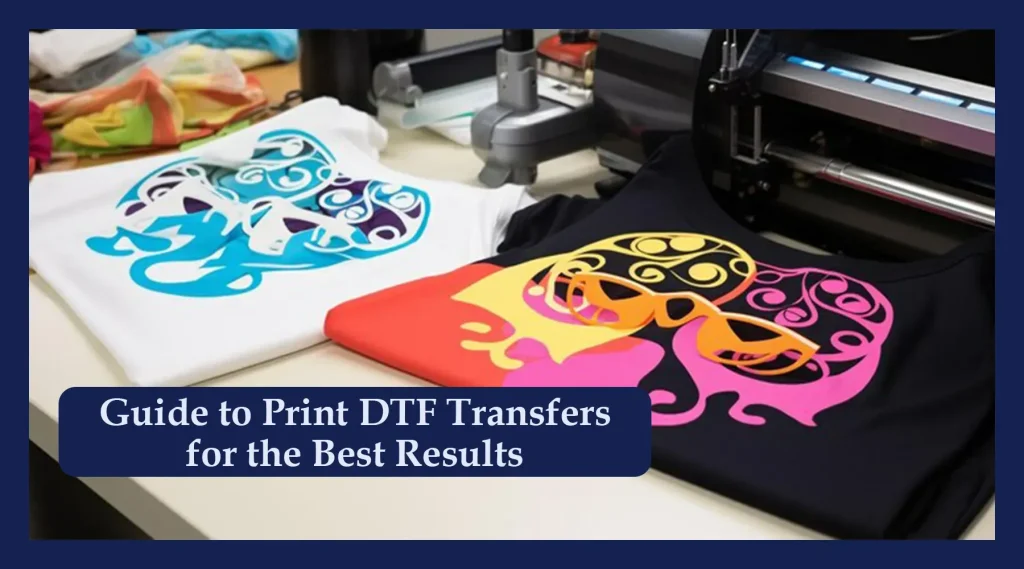
DTF transfers (Direct-to-Film) are created by printing an image onto a PET film using color inks and white ink, then applying a bonding powder, curing, and heat transferring the design to fabric. They work on cotton, cotton blends, polyesters, and many fabrics that can be difficult for other methods. Compared with sublimation, DTF transfers offer reliable performance on dark fabrics and natural fibers, while sublimation delivers bright results on 100% polyester; DTF also enables opaque white designs on color fabrics and generally requires less upfront setup for small runs.
What are the pros and cons of DTF transfers?
DTF transfer pros and cons: Pros include broad fabric compatibility, strong white ink capability on dark or colored fabrics, cost-efficiency for small runs, good durability, and a relatively soft hand after transfer. Cons include more equipment and ongoing maintenance, white ink management and alignment challenges, a multi-step post-processing workflow, not being ideal for every fabric (especially very stretchy or highly textured materials), and potential edge lifting if the transfer isn’t placed or pressed correctly.
Which fabrics and use cases are best for DTF transfers, and how do they compare to sublimation?
DTF use cases shine for custom apparel with mixed fabrics and dark colors, small to mid-size runs, and designs that require white or light-on-dark elements. DTF handles intricate, photographic artwork and is versatile for bags, caps, and other textiles. Compared to sublimation, DTF excels on cotton blends and darker textiles, while sublimation is typically preferred for large runs on 100% polyester.
DTF vs sublimation: when should you choose DTF transfers?
Choose DTF transfers if you’re printing on cotton-rich fabrics, blends, or dark garments, or you need opaque white ink on color fabrics, especially for small runs or rapid prototyping. If your project is a large print run on 100% polyester or polymer-coated substrates, sublimation can be more cost-efficient and deliver a very soft hand.
What practical tips help you get the best results with DTF transfers?
Do a test print and test press on the exact fabric, and adjust temperature, time, and pressure for reliable adhesion. Optimize your design for transfer with high-resolution images and avoid overly fine details. Pay close attention to white ink layers for alignment and curing, use quality powders and tapes, and test substrate textures to adjust pressure for textured fabrics. Follow correct post-press care to maximize longevity.
Are DTF transfers durable, and how should you care for washed garments?
DTF transfers are durable and wash-fast when applied correctly, with color retention across multiple washes on suitable fabrics. Follow washing guidelines, turn garments inside-out, avoid harsh detergents at first, and ensure proper heat-press settings and edge handling to prevent lifting over time.
| Topic | Key Points |
|---|---|
| What Are DTF Transfers? | – Direct-to-Film: image printed on PET film with white and color inks, powder, then heat-transferred to fabric. – Durable, vibrant prints across a wide range of fabrics (cotton, cotton blends, polyesters, and challenging fabrics). – No long setup costs per color; good for small runs and customized orders. |
| What is Sublimation? | – Heat-transfer method where inks turn to gas and embed into polyester fibers. – Best on polymer-coated substrates or 100% polyester; bright, colorfast prints with smooth hand. – Limited on dark fabrics, natural fibers like cotton, and blends where dye bonding is weaker. |
| DTF Transfers Pros | – Works on a broad range of fabrics (cotton, poly blends, dense knits). – Strong color and white ink capability (opaque designs on dark fabrics). – Cost-effective for small runs; lower setup costs than screen printing. – Good durability and washability when applied correctly. – Flexible finishing and relatively soft hand on smoother fabrics. |
| DTF Transfers Cons | – Equipment and maintenance: multiple components require upkeep. – White ink management and alignment challenges; misregistration can occur. – Post-processing steps (film, powder, cure, heat press) add throughput considerations. – Not universally ideal for all fabrics; stretchy/textured materials may need tests. – Long-term fabric considerations: placement and pressure distribution to avoid edge lifting or cracking. |
| Sublimation Pros (in contrast to DTF transfers) | – Bright color saturation on 100% polyester and polymer-coated surfaces. – Very soft hand since inks are embedded in fibers. – Excellent wash fastness on compatible substrates; minimal hand feel changes. |
| Sublimation Cons (to contrast with DTF transfers) | – Limited to polyester or polymer-coated surfaces; not ideal for dark cottons. – Color-integration challenges on dark fabrics due to lack of true white ink. – Requires coated substrates or high-polymer content; higher material costs and constraints. |
| Use Cases: When to Choose DTF Transfers | – Custom apparel with mixed fabrics and dark colors. – Small to mid-size runs and fast turnarounds. – Designs with white or light-on-dark elements. – Detailed, vibrant artwork including photographic imagery. – Items beyond apparel (bags, caps, pouches, other textiles). |
| Comparison: DTF Transfers vs Sublimation in Key Scenarios | – Fabric compatibility: DTF wins on natural fibers and blends; sublimation dominates 100% polyester. – Color on dark fabrics: DTF offers white ink; sublimation struggles on darks without backing. – Hand feel: Sublimation generally softer; DTF may be slightly raised depending on ink/adhesive. – Cost/setup: Small runs: DTF often cheaper; large runs: sublimation can be cheaper on suitable substrates. |
| Practical Tips for Getting the Best Results with DTF Transfers | – Do test prints and press on the exact fabric; adjust temp/time/pressure for adhesion. – Optimize designs for transfer with vectors or high-res raster images; beware tiny details. – Mind white ink layers: proper curing and alignment critical for dark fabrics. – Use quality powders and tapes; follow supplier recommendations. – Test substrate choices for textured fabrics; adjust pressure for adhesion. – Follow post-press care: wash/dry guidelines; turn garments inside-out initially. |
| Cost, Setup, and Throughput Considerations | – Requires investment in printer, heat-press, film/powder workflow. – Vibrant prints on diverse fabrics and colors; good for mid-sized batches. – Throughput depends on workflow optimization; sublimation is highly efficient for large polyester runs but has substrate limits. |
| Best Practices for Designers and Operators | – Plan for color management with ICC profiles. – Build fabric swatch library to guide decisions. – Create scalable designs; consider texture and color interactions. – Maintain equipment diligently to reduce downtime. – Use QC checks for alignment, color match, and edge integrity. |
Summary
Conclusion